
This webinar has been canceled. You are welcome to attend one of our other release meetings: https://www.tygron.com/blog/2025/10/21/tygron-platform-2026/. Please feel free to contact us with any questions.
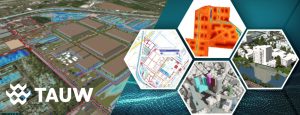
Enhanced support for faster and easier creation and integration of urban design, housing plans and BIM models.
February 24, 10:00 AM – 11:00 AM Webinar ‘Digital City Models and Digital Twins’
Speakers: Florian Witsenburg, Hedi van Dijk, Bobby Biondic
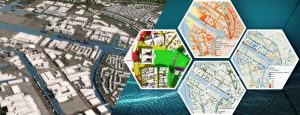
This webinar is intended for area developers, urban planners, and spatial planners: Generate a digital model of a city or neighborhood, load urban development plans into it, evaluate them based on KPIs, and clearly present the results. The workflow for spatial plans and urban development scenarios has been further optimized. This makes the platform more compatible with planning processes at municipalities and design teams. Recently, we’ve improved several functionalities that allow spatial designs to be tested, combined, and evaluated more quickly within a digital twin environment.
An overview of the new functionalities:
- Direct import of designs and measures via IFC files (BIM) and AutoCAD formats.
https://previewsupport.tygron.com/wiki/How_to_import_an_IFC_file
How to import an IFC file - Simplified coordinate conversion, without a separate step via ArcGIS Pro.
https://previewsupport.tygron.com/wiki/How_to_export_Sketchup_models_to_IFC
https://previewsupport.tygron.com/wiki/How_to_export_Blender_models_to_IFC - Ability to smooth the underlying elevation model for new construction.
https://previewsupport.tygron.com/wiki/How_to_remove_a_waterway_from_the_heightmap - Full QGIS support via WFST, including editing of waterways and other features.
https://previewsupport.tygron.com/wiki/How_to_edit_your_project_data_via_WFS - Faster scenario calculations thanks to the new limit map, which only requires calculations for a sub-area.
https://previewsupport.tygron.com/wiki/How_to_use_a_limit_map_in_a_Scenario
How to use a limit map in a Scenario - Indicator results are saved per scenario, making it easy to compare variations.
- Support for dashboarding and visual scoring of measures via open-source dashboards.
https://github.com/Tygron/tygron-dashboard