Step 1
Integrate
Step 2
Simulate
Step 3
Share
Integrate

Link open data sources and add your own private data sources. Use elevation maps, buildings, roads, and terrains with global coverage, among others. For the Netherlands, data is also available on traffic, crops, and statistics. This is how you build a GIS foundation that aligns with the area, the task, and the available source data within your organization.

Open standards
Work with common geographic and design formats, including GEO web services, AutoCAD files, raster data, and 3D models. Your existing source files and processes will therefore remain usable within a spatial project.

API
Connect existing applications, data sources, calculation models, and viewers via the REST API and geo-endpoints. For example, link QGIS, ESRI, or proprietary software, allowing these applications to remain part of your own workflow. You can retrieve data, manage projects, and make results available to other systems without manual intermediary steps.

Rasterizer
Dynamically convert polygons and 3D models into raster layers. This makes object information usable for raster-based analyses, such as for water, heat, visibility, and land use. Elevation models, like a DTM or DSM, can be automatically updated when the spatial design of a scenario changes.

AI Suite
Use pre-trained models from GeoShare or add your own ONNX model. For example, AI can help classify input data, derive characteristics, or prepare datasets for spatial analysis. You determine which model is used, which data serves as input, and how the results are applied. The AI supports your analysis; the choices regarding data, assumptions, and interpretation remain yours.
Simulate

TQL
Use the Tygron Query Language (TQL) for detailed queries on polygon and raster data. Select, compare, and edit objects based on properties, location, and mutual relationships. TQL can also be combined with Excel. This allows you to connect project data and calculations with existing analyses, checks, and reporting processes.

Open Calculator
Build your own raster formulas, indicators, and calculation chains. Use combo overlays, prequels, travel distances, and lines of sight, among other things, to determine spatial effects according to your own calculation logic. Via API triggers, you can include external calculation models in the workflow. This keeps your own model usable, while inputs and outcomes are examined in conjunction with GIS data and other analyses.

Scenarios
Develop different design variants, policy measures, or future scenarios. Toggle measures on or off, compare effects on your own KPIs, and investigate the consequences for different areas or stakeholders. Scenarios clarify which interventions, parameters, and assumptions lead to an outcome. This supports a reproducible comparison between alternatives.
GPU-accelerated simulations
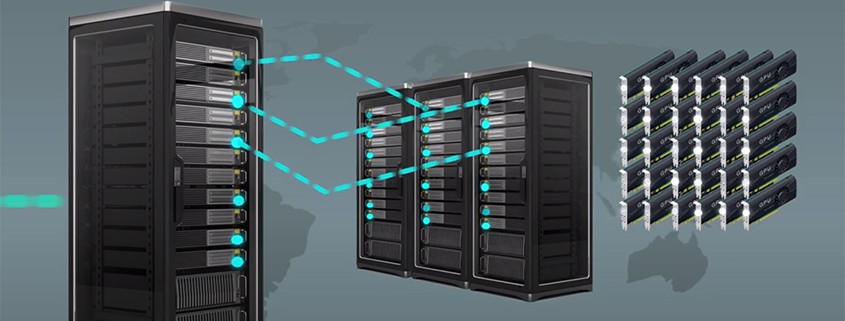
Compute large datasets and raster analyses with GPU-accelerated cloud infrastructure in the Netherlands. This is relevant for high-resolution analyses, large study areas, or multiple scenarios. You use extra computing power where needed, without managing HPC or GPU infrastructure yourself.

In-Tygron Simulations
Use available calculation models for recurring spatial issues, including:
Water: shallow-water equations, groundwater, breaches and land subsidence
Heat stress: calculations according to the DPRA model
Traffic noise
Air quality, including NO₂
You determine which data, parameters, measures, and scenarios are used in these models. This allows you to substantiate the calculation, check the results, and compare alternatives on the same basis.
Share

Tygron Client
Work with data, plans and calculations in conjunction.
Use the Tygron Client to build, manage and investigate spatial projects. Bring together GIS data, existing plans, objects, raster layers, models and scenarios in an interactive 3D work environment.
See how a plan, measure or assumption affects your analysis. Adjust data, parameters or scenarios, rerun calculations and compare results based on the same starting points. This keeps it transparent which data, models and assumptions underlie an outcome.
The Tygron Client supports the entire workflow: from integrating data and preparing an analysis to checking, visualizing and sharing results.

Web Viewers
Make results accessible for every role.
Publish selected maps, indicators, scenarios, and results in a 2D or 3D web viewer. This allows colleagues, clients, and other stakeholders to explore an area, plan, or scenario difference without having to edit the full project themselves.
Make complex analyses readable at the level that suits the user, while the underlying data, models, and settings remain available for the professionals managing the analysis.
Link outcomes to Microsoft Power BI, use the WMS endpoint in your own viewer, or include maps in existing dashboards, reports, and portals. This keeps spatial information connected to the systems your organization already uses.

GeoShare
Record workflows and reuse them.
Share files, viewers, indicators, and project components within your organization, with the Tygron community, or publicly. For example, publish a dataset, template, model component, indicator, or viewer that others can use as a starting point.
This allows you to record a proven approach after you have researched, adapted, and verified it. Teams can reuse the same data, configurations, and calculation components in new areas or projects, and adapt them further where necessary for a different task.
GeoShare helps organizations make knowledge and reusable components available, without the need to rebuild projects, data, or models from scratch.
For your role
Built for experts. Clearly readable for decision-makers.
For experts
Open calculator
Deep technical access with open API. Full control of data and models. GIS integration, scripting, automation, large-scale computation. Connect your own data pipelines. Build custom tools that communicatie with the platform.
Modelers
geo-experts
Hydrologists
For decision-makers.
Defensible outcomes
Clear dashboards, auditable outcomes, defensible and transparent choices.
Policy teams
procurement
management