During my internship, I worked on a connection via the API between Tygron and QGIS. The tool serves as both an illustration and inspiration for the possibilities of the Tygron API.
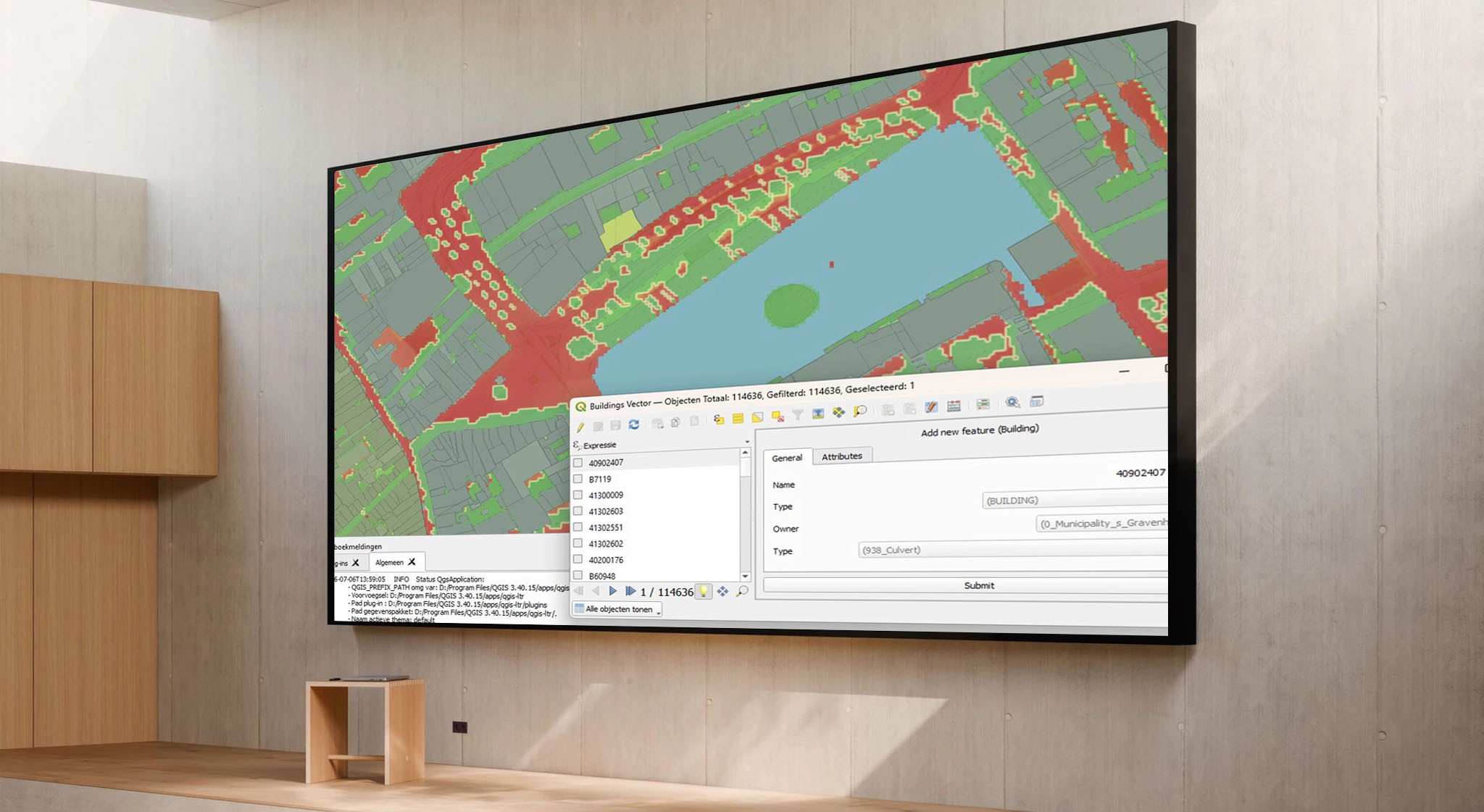
The Tygron Platform offers a lot of functionality that is accessible via the Tygron Client. This client is controlled by an API, which is also directly accessible to every user. This offers many possibilities to connect different programs with each other or to develop specialized workflows. During my internship, I worked on a tool that establishes a connection between Tygron and QGIS via the API. This tool serves as an illustration and inspiration for the possibilities of the Tygron API.
As a Software Engineering student at The Hague University of Applied Sciences, I started developing a plugin for QGIS. QGIS is a widely used open-source program with which specialists analyze, visualize, and process geodata. My assignment was to make functionality of the Tygron Platform available within QGIS via the API and to enable users to easily modify data from a Tygron project. Thanks to the plugin, actions that normally take a lot of time can be accelerated significantly.
Three releases of the plugin
At the beginning of my internship, I focused on exploring both the Tygron Platform and QGIS. Both were completely new to me, so I spent about two weeks experimenting with the Tygron Client and the API. Subsequently, I conducted interviews with four Tygron users to map out their wishes for a QGIS plugin and their experiences with the Tygron Platform. Based on this, I drew up use cases, made a planning, and started the development of the plugin.
During the internship, I worked towards various milestones, step-by-step adding new functionality based on priority and the development of a Minimum Viable Product (MVP). In addition, I gave an internal demo to gather feedback and share progress with the Tygron team. Meanwhile, three releases of the plugin have been published via Tygron's official GitHub account, which include bug fixes and new functionality.
Truly valuable
To properly complete my internship, I paid a lot of attention to the transfer of my work. I documented the code and wrote an extensive user manual, and shared it on GitHub. This allows the Tygron team and/or other Tygron users to easily develop the plugin further. Both the software architecture and the workflow for adding new functionality are clearly documented.
Looking back, this internship was a very valuable experience for me. It was the first time I could apply the software knowledge from my study program in a professional environment where my work is actually used. This required a more structured way of working and better coordination with colleagues regarding my progress. It was also great to see that a lot of Tygron functionality can already be brought to QGIS, but that there are still plenty of opportunities to further improve usability within QGIS. This makes me feel like I have worked on a product that truly adds value.
Structured planning
The most important lesson I learned during my internship is how important structured planning with realistic deadlines is. Because I worked independently on this assignment, it was tempting to determine what I would work on on a daily basis. As a result, I sometimes lost the overview. By planning ahead, stakeholders were better informed about the project's progress, and I could better focus on concrete results instead of loose daily plans.
Contact with experienced users was also highly valuable. Because I had no prior experience with the Tygron Platform or QGIS, I needed their insights, along with my own exploration, to get a clear picture of what a valuable plugin should offer. Without these conversations, I could easily have made choices that did not align well with user needs.
How the Tygron QGIS Plugin works
The plugin was created to transfer data from the Tygron Platform to QGIS as easily as possible. After entering the API key in a session, the layers from the Tygron project are automatically imported into QGIS. In addition, the plugin offers extra functionality, such as drawing features and more extensive menus for filling in attributes than are standardly available in QGIS. Overlays are also easy to import, and even animations, such as rain and heat stress simulations, can be played directly within QGIS. This saves the user a lot of time compared to manually importing data and makes editing attributes clearer.
Get started yourself
Curious about the plugin I developed? The code is available on the Tygron GitHub:

